CSP Configuration
Inorder to perform any activity/functions with your multi-cloud environment, you must first configure your Cloud Service Providers' account
How to Configure your CSP?
To Configure your Cloud Service Provider account you must enter the following under the CSP Configuration section:
-
CSP
-
CSP Account Name
-
CSP Account ID
-
CSP Access Key ID
-
CSP Secret Access Key
-
CSP Region
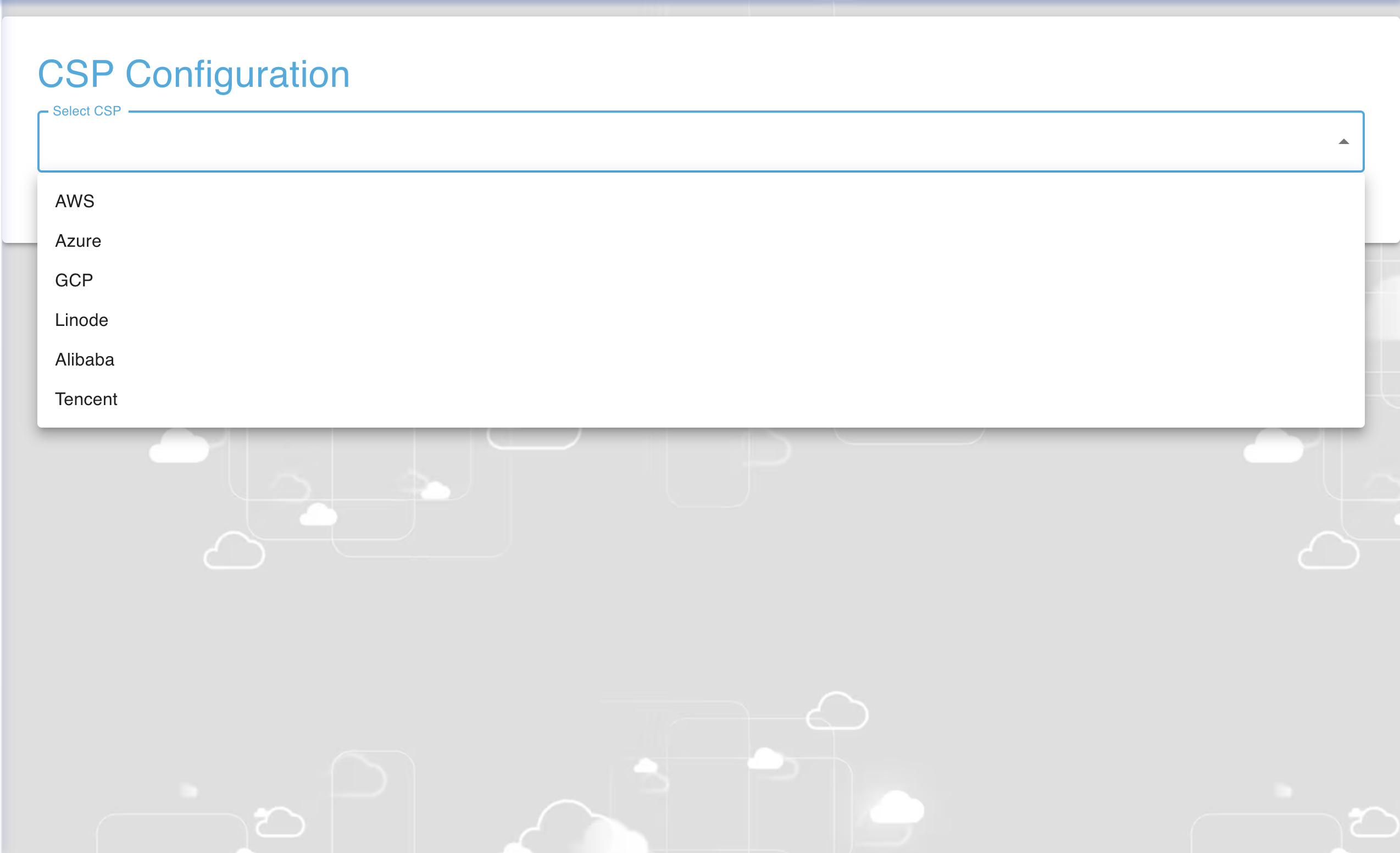
First you will have to select your desired Cloud Service Provider using the dropdown as shown below in the image.
After entering the above details 1-6 as you can see in the image below, click on "Save Configuration".
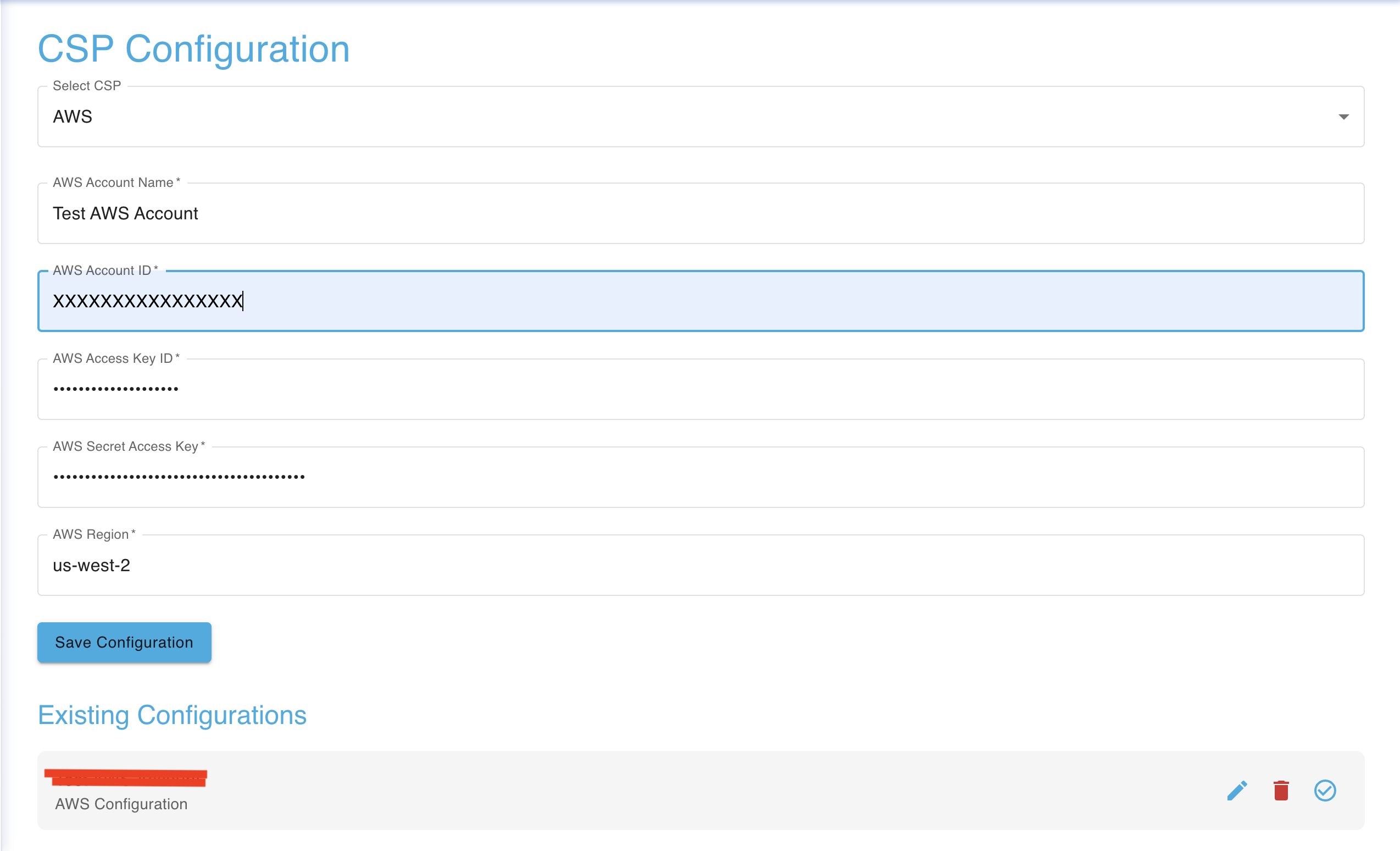
In the CSP Configuration section, you can also see your existing configurations as noticed in the image above. You may edit your existing configurations using the "pencil" icon, delete a configuration using the "garbage" icon and check connection of a configuration using the blue "tick" icon.